
5. EstVis Workflow
The main Windows application for managing cases, buckets, estimates, parts, invoices and day-to-day shop operations.
EstVis Workflow is the primary Windows application used by managers, estimators, advisors, body techs and other staff to run a collision-repair bodyshop on EstVis. It is the electronic dashboard where cases move through repair stages (buckets), estimates are reviewed, parts are ordered and tracked, invoices are posted, payrolls are calculated and reports are generated.
Main screen at a glance
The main Workflow screen is organized into vertical buckets that represent repair stages (Opportunities, Appointments, Tear-Down, Estimating, Body, Mechanic, Frame, Paint, Assembly, QI, etc.). Each case is displayed as a card within its current bucket and can be dragged or moved automatically as work progresses.
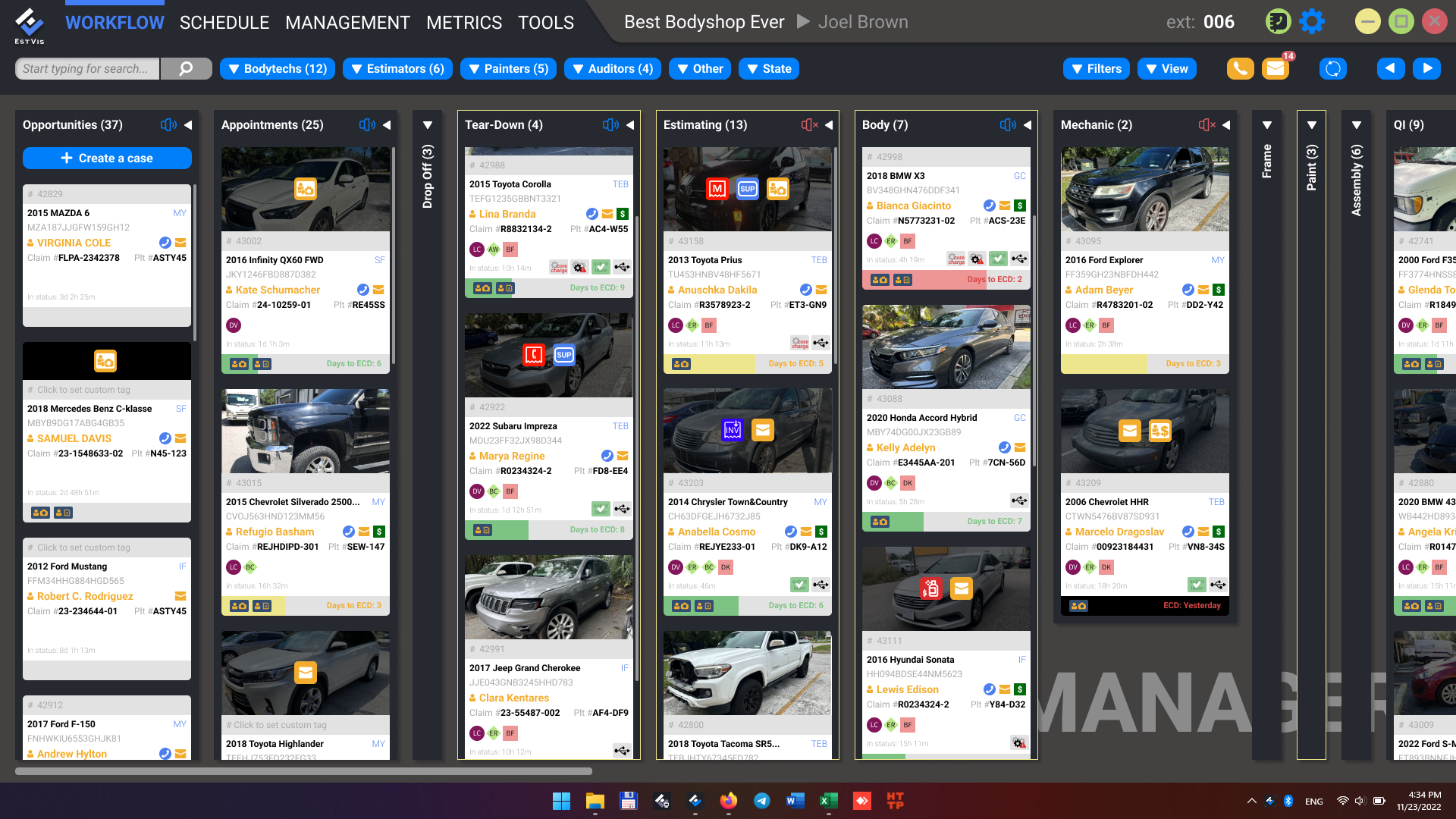
A case card shows the most important information at a glance: vehicle and customer info, assigned employees, estimate amounts, and small status icons that highlight items requiring attention from the staff.
What you can do in Workflow
- Organize and monitor work orders (cases) through customizable buckets and statuses.
- Assign staff to cases, create tasks, and track acknowledgments and progress.
- Manage estimates imported from Mitchell®, CCC ONE® and Audatex®, including supplements and re-exports.
- Order parts, track receipts, returns and special orders.
- Scan and post invoices (including paint invoices) with automatic recognition.
- Generate payrolls and reports; integrate with QuickBooks® for accounting synchronization.
- Communicate in-shop via the built-in messenger and send automated notifications to customers.
In this section
- Case card icons explained – what every status icon on a case card means and what action it implies.